What Are the World Cup 2026 Best Apps Fans Need?

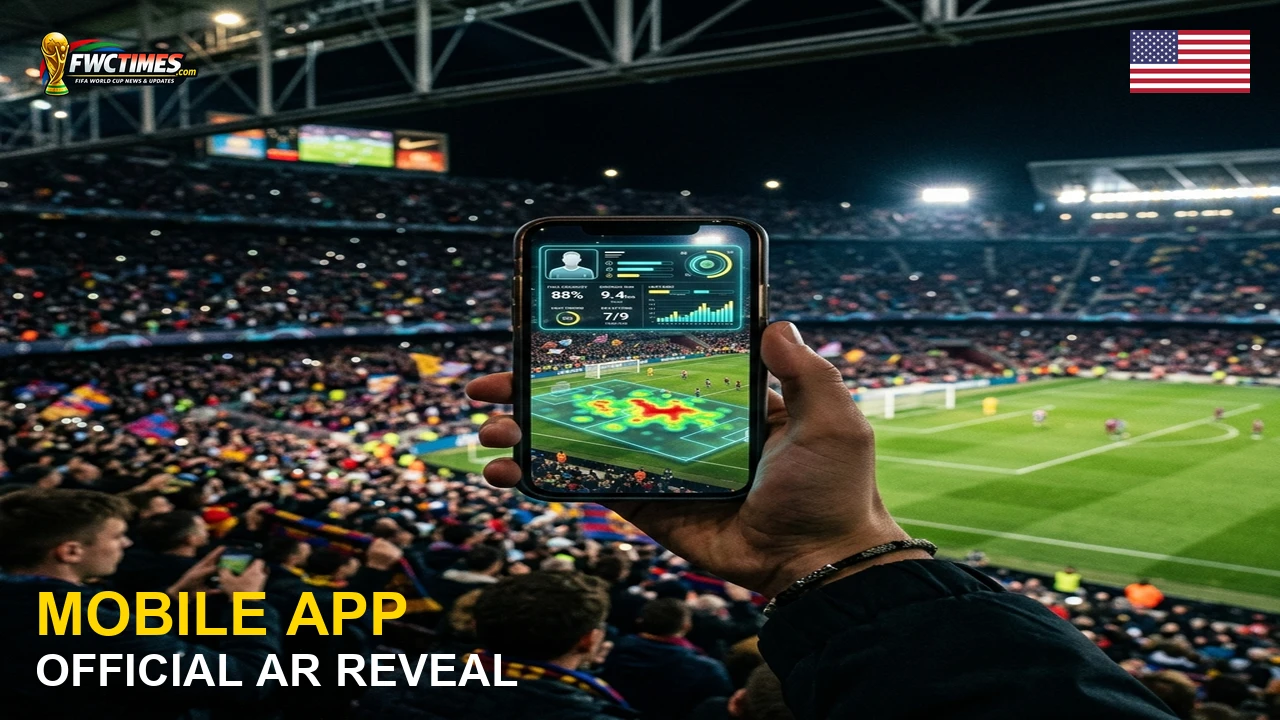
Smartphones will be essential tools for supporters attending the upcoming soccer tournament in North America. Finding the World Cup 2026 best apps fans need to download will make your matchdays much easier. This article covers official ticketing platforms, local transit applications, and live streaming options. That said, having these digital tools ready before kickoff protects your travel plans.
Supporters should organize their mobile setups well before traveling to the host cities. The tournament features forty-eight nations playing across multiple venues in three countries. Because stadium cellular networks will be crowded, downloading these programs early is highly recommended. You can avoid gate delays by testing your accounts now.
Recommended World Cup 2026 Best Apps Fans Checklist
The official FIFA tournament application represents the best starting point for every supporter. This program provides official schedules, match statistics, and stadium entry instructions. It also sends real-time notifications about weather delays and bracket changes. So fans should keep this application updated to receive the latest news.
Ticketing applications require separate attention from anyone who purchased match entries. The organizers use mobile-only tickets that require the FWC2026 Mobile Tickets App. As a result, spectators must log in and download their passes in advance. A simple screenshot will not work at the stadium gates.
| Application Name | Primary Function | Crucial Feature | User Target |
|---|---|---|---|
| Official Tournament App | Match schedules and statistics | Real-time score alerts | All football fans |
| Official Ticketing App | Mobile ticket delivery | Offline ticket scanning | Matchday ticket holders |
| National Broadcaster App | Live streaming matches | Full replay clips | Home viewers |
| Transit and Map Apps | Stadium navigation routes | Offline map downloads | Traveling supporters |
Streaming and Broadcaster Applications
Television rights vary significantly depending on the country of the viewing audience. in the US, fans should download the Fox Sports and Peacock applications. On top of that, tapmad will show the matches to viewers in Pakistan. Using official platforms prevents security risks and guarantees high-definition streams.
Users should test their streaming setups on their preferred devices before kickoff. High-definition streams require stable internet connections to work without buffering. Since connections can drop in crowded places, having a backup sport app is helpful. You can check our World Cup tickets page for more stadium entry details.
Why the World Cup 2026 Best Apps Fans Setup Matters
Having a prepared mobile setup prevents unnecessary stress during the busy tournament weeks. A proper setup helps viewers track kickoff times across different time zones. Yet users must configure their notifications to receive instant updates. This preparation ensures you never miss a crucial goal or penalty shootout.
Navigation and Travel Applications
Traveling supporters must navigate unfamiliar public transport networks in each host city. Since stadium parking is often limited, buses and trains are the best options. Navigation systems that offer offline maps will protect you when cellular networks are overloaded. Group members can also use simple messaging platforms to share locations.
Supporters should check the stadiums guide to plan their journeys. Every stadium profile includes public transit maps, walking routes, and entrance locations. Even so, fans must verify transit schedules on the local municipal apps. Safe travel makes the entire tournament experience much more enjoyable.
Frequently Asked Questions
What are the World Cup 2026 best apps fans should download?
Supporters should start with the official tournament application for schedules. They must add the official ticketing application to access their matches. Broadcaster applications are also necessary for viewing live streams. In fact, these tools will prevent gate delays.
Do I need a mobile app to enter the stadiums?
Yes, tickets are fully digital and require the official ticketing program. Supporters must display the active ticket barcode on their screens at the gate. As a result, printed copies or simple screenshots will not work. You must present the live barcode.
How can I watch live matches on my phone?
You must download the application of the official broadcaster in your region. Broadcast rights are split among different networks depending on your location. in the US, Fox Sports holds the English-language rights. So check local listings to find the correct platform.
Should I download transit apps for host cities?
Yes, local public transport applications are recommended for traveling fans. These programs show train routes, bus schedules, and matchday road closures. Since networks will be crowded, offline navigation maps are also useful. You should save maps to your device memory.
Will these applications work without an internet connection?
Most features require an internet connection to update scores and schedules. Yet the ticketing application can display saved tickets offline. We recommend saving transit maps to your device memory. After all, stadium Wi-Fi can become congested during matches.
Conclusion
Preparing your digital devices in advance will protect your tournament experience. A few simple downloads will keep you connected to scores, routes, and tickets. So supporters can focus on the matches without worrying about technical issues. The digital tools will ensure a smooth journey for everyone.
Supporters can read our prediction for the Netherlands team to compare contenders. We also offer detailed previews of other squads on our portal. You can visit the FIFA World Cup 2026 homepage for regular updates. Staying informed will make your tournament experience complete.