How to Watch FIFA World Cup 2026 on Nintendo Switch

Watch world cup 2026 nintendo switch coverage with a realistic plan before the tournament gets busy. Nintendo Switch can run the official YouTube app, yet it is not a full World Cup device in the same way as PlayStation, Xbox, phones, or laptops. Your best route depends on whether you want highlights, select legal live windows, or every match.
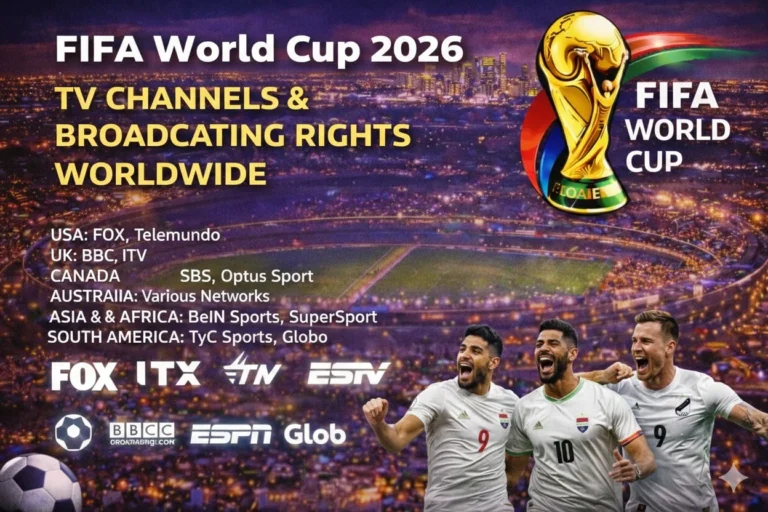
Start with FIFA World Cup broadcasting rights because match rights still change by country, language, and platform. Then compare kickoff windows with the FIFA World Cup 2026 TV schedule and keep a second screen ready for full-match coverage. The clearest setup notes come from YouTube on Nintendo Switch support and Nintendo's YouTube for Switch FAQ.
| Nintendo Switch Viewing Need | Best Legal Route |
|---|---|
| Quick World Cup viewing on the console | Use the official YouTube app on Nintendo Switch |
| Selected legal live windows | Watch licensed broadcaster YouTube streams when your market offers them |
| Every full match live | Move to YouTube TV, FOX One, Peacock, or another supported device |
| Portable backup while traveling at home | Use Nintendo Switch for YouTube coverage and keep a phone ready |
| Best living-room upgrade | Use Apple TV, PS5, Xbox One, or a laptop when you need full-match certainty |
Can You Watch FIFA World Cup 2026 on Nintendo Switch?
Yes, but only in a limited way. Google says you can watch YouTube videos on Nintendo Switch, sign in with your account, search for channels, and use a mobile device as a remote. That makes Switch useful for World Cup video access, not for guaranteed full-tournament streaming.
Nintendo’s own FAQ sets the key limit. Nintendo says YouTube TV is not available through the Switch YouTube app, so the simplest full-match subscription route does not carry over to this console. That one sentence changes the whole viewing strategy.
What Works on Nintendo Switch for FIFA World Cup 2026?
The official YouTube app is the verified starting point. Google lists Nintendo Switch among game consoles that support standard YouTube, and the Switch app runs in handheld or docked mode. So you can follow live World Cup coverage only when the rights holder chooses YouTube as the legal outlet.
That matters more in 2026 than it did in older tournaments. YouTube and FIFA announced a broader World Cup partnership that lets media partners post more match footage, stream the first 10 minutes of every match, and stream a select number of full matches on YouTube channels. Nintendo Switch becomes relevant when those legal YouTube windows are available in your market.
Switch also works well for tournament follow-up. You can watch official highlights, creator analysis, and short-form match reactions, then compare the result with World Cup live scores. That gives the console a useful role even when it is not the main live screen.
| Switch Route | What It Can Handle | Current Position |
|---|---|---|
| Official YouTube app | Highlights, clips, live partner windows, select full matches on YouTube | Verified |
| YouTube TV app | Full tournament through a paid live-TV service | Not available through Switch YouTube app |
| FOX One on YouTube | Potential YouTube-based English route | Switch support yet to be confirmed |
| Direct rights apps like Peacock | Full-match streaming on supported devices | Use another device for certainty |
| General backup plan | Score tracking plus another device for the live feed | Recommended |
Can Nintendo Switch Show Live World Cup Matches or Only Highlights?
Nintendo Switch can show more than highlights, yet only when the rights holder actually uses YouTube for live distribution. YouTube’s 2026 agreement with FIFA gives partners room to stream the first 10 minutes of every match and a select number of full matches. That opens a legal live route on Switch, but it is not the same as guaranteed access to all 104 matches.
The practical rule is simple. If your broadcaster is running a legal World Cup feed on YouTube, Switch can become a match screen. If your broadcaster keeps everything inside a paid app such as YouTube TV World Cup streaming, FOX One World Cup streaming, or Peacock World Cup streaming, Switch is not enough on its own.
This is why rights research comes first. Check the territorial picture in the rights tracker, then check the broadcaster’s YouTube activity near kickoff. Switch is a rights-dependent screen, not a universal sports streamer.
Why Nintendo Switch Is Not the Best Full-Match Device
Nintendo Switch lacks the full streaming depth that football fans now expect. Nintendo says YouTube TV is unavailable through the Switch app, which blocks one of the cleanest legal full-tournament routes. That alone pushes serious match watchers toward another device.
The app ecosystem is also narrower than it used to be. Nintendo says the Hulu app was removed from the eShop on November 6, 2025 and the service ended on February 5, 2026. That does not affect World Cup rights directly, yet it shows why Switch should not be treated like a full media box.
Screen limits matter too. Nintendo says the built-in display tops out at 720p in handheld mode and 1080p in docked mode. That is fine for clips, yet not ideal when you want the biggest knockout matches in the best living-room quality.
How to Set Up Nintendo Switch for World Cup 2026 Coverage
Open the Nintendo eShop, download YouTube if it is not already installed, and sign in with the Google account you use for sports viewing. Then follow FIFA, your local broadcaster, and the official tournament media partners before the opening match. A prepared account saves time when live windows appear.
Use the search bar inside YouTube to find match previews, official live streams, and post-match coverage. Then cross-check kickoff order with the World Cup 2026 match schedule. That reduces the risk of waiting on a stream that was never licensed for your region.
Test the app before the tournament starts. Nintendo lets you use a mobile device as a remote, so you can search faster and jump into live content with less friction. That small setup step matters when several matches stack up on the same day.
| Step | Nintendo Switch Action |
|---|---|
| 1 | Install the official YouTube app from the Nintendo eShop |
| 2 | Sign in with the Google account you use for sports viewing |
| 3 | Follow FIFA, official broadcasters, and tournament creator channels |
| 4 | Check your country’s rights position before each matchday |
| 5 | Search for licensed live streams or extended highlights before kickoff |
| 6 | Keep a second supported device ready for any match that stays behind a dedicated app |
Best Backup Devices When Nintendo Switch Is Not Enough
The safest backup is Laptop or PC World Cup viewing. A computer can handle far more broadcaster sites and streaming apps than Switch, so it is the cleanest move when a match is not on YouTube. You also get easier sign-in, stronger multitasking, and better rights flexibility.
Phone options work well when you need mobility. Use Android phone World Cup viewing or iPhone World Cup viewing when a broadcaster supports mobile apps but not Nintendo Switch. That route matters on workdays, travel days, and overlapping kickoff windows.
Living-room viewers should look at PS5 World Cup viewing or Xbox One World Cup viewing. Those consoles already have verified World Cup app coverage inside FWCTimes testing, so they are stronger for English and Spanish live-match access. Switch is the light option, not the most complete one.
Nintendo Switch Matchday Tips for Screen Quality and Stability
Dock the console when you want a cleaner living-room picture. Nintendo says handheld mode reaches 720p, while docked mode can reach 1080p. That difference is easy to notice during wide camera shots and fast attacking moves.
Use strong home internet because YouTube live feeds punish unstable Wi-Fi. Pause downloads, keep the console charged, and restart the app before kickoff if the feed lags. A small reset often fixes simple playback issues.
Keep your expectations aligned with the platform. Use Switch for quick legal access, highlights, and selected live streams, then track other matches on FWCTimes when the console cannot carry the feed. That mix works far better than forcing Switch into a role it does not fully support.
FAQs
Can I watch FIFA World Cup 2026 live on Nintendo Switch?
Yes, but only when a licensed broadcaster offers a legal YouTube live stream that works through the Switch YouTube app.
Does YouTube TV work on Nintendo Switch for World Cup 2026?
No. Nintendo’s YouTube for Switch FAQ says YouTube TV is not available through the Switch app.
What is the best Nintendo Switch route for World Cup 2026 coverage?
The best verified route is the official YouTube app for highlights, official clips, and any licensed live windows that rights holders choose to place on YouTube.
Can Nintendo Switch show every World Cup 2026 match?
No verified full-tournament route is confirmed on Switch today, so fans should keep a laptop, phone, PlayStation, Xbox, or streaming box ready.
Is Nintendo Switch good for World Cup highlights and replays?
Yes. Switch is a solid YouTube screen for highlights, reaction coverage, archive footage, and selected post-match analysis.
Why does Nintendo Switch feel more limited than PS5 or Xbox One for football streaming?
Switch does not have the same verified app depth for full World Cup subscriptions, while PS5 and Xbox already support stronger live-match app routes.
Conclusion
Nintendo Switch can help with FIFA World Cup 2026 coverage, yet it is a selective screen rather than a full-tournament solution. Use it for official YouTube coverage, licensed partner live windows, and quick highlights when you need a portable football setup. Keep a second supported device ready for matches that stay inside dedicated broadcaster apps.
Read Also: Apple TV World Cup viewing