How to Watch FIFA World Cup 2026 on Firestick

Watch World Cup 2026 Firestick coverage by installing the official broadcaster apps from the Amazon Appstore and signing in before matchday. Fire TV Stick does not create World Cup rights by itself, so the app you choose matters more than the device. U.S. viewers should plan around FOX and FS1 in English, plus Telemundo, Universo, Peacock, and the Telemundo App in Spanish.
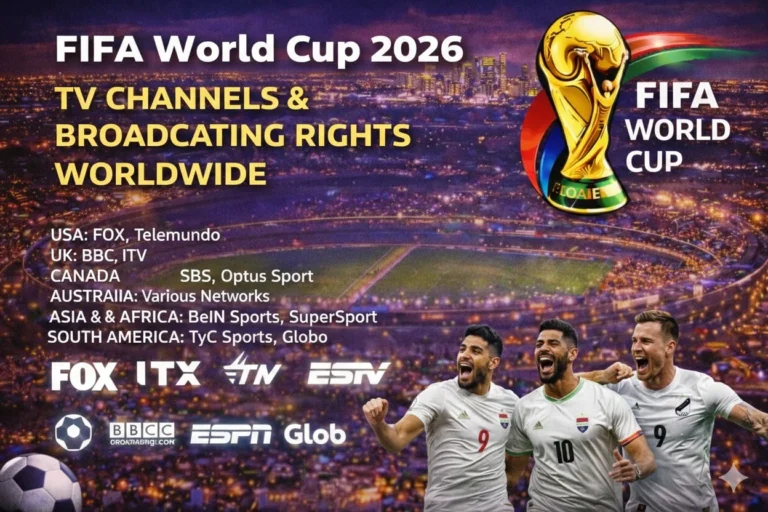
Use FIFA World Cup broadcasting rights first if you are outside the United States because each country has its own licensed broadcaster. Then confirm the fixture inside FIFA World Cup 2026 TV schedule and open the app that carries that match. A Firestick works best when the right app, account, Wi-Fi connection, and TV input are ready before kickoff.
| Firestick Viewing Need | Best Legal Route |
|---|---|
| English live matches in the United States | FOX, FS1, FOX One, FOX Sports App, or a live TV service with FOX channels |
| Spanish live matches in the United States | Peacock, Telemundo App, Telemundo, and Universo where available |
| Cord-cutting setup | YouTube TV, FuboTV, Hulu + Live TV, Sling TV, or DIRECTV Stream when the package includes needed channels |
| Free legal options | Over-the-air TV with an antenna on supported TVs, plus limited Tubi coverage where assigned |
| Outside the United States | Use the official broadcaster listed for your country, then install its Fire TV app if supported |
Can You Watch FIFA World Cup 2026 on Firestick?
You can watch FIFA World Cup 2026 on Firestick by downloading a legal live TV or broadcaster app from the Amazon Appstore. In the United States, FOX One and the FOX Sports App handle English streaming, while Peacock and the Telemundo App handle Spanish coverage. Live TV services such as YouTube TV, FuboTV, Hulu + Live TV, Sling TV, and DIRECTV Stream can also work when they carry the right channels.

The fastest matchday setup is simple. Install two apps: one English route and one Spanish or backup route. Then test live playback, account login, remote control response, and TV audio before the opening match.
Best Firestick Apps for FIFA World Cup 2026
Start with FOX One World Cup streaming if you want a direct FOX streaming route. FOX Sports App World Cup streaming can also work when your account or TV-provider login supports live access. FOX lists Fire TV among supported device platforms for FOX One, so Firestick users have a clear English-language path.
Spanish-language viewers should check Peacock World Cup streaming because NBCUniversal has built Peacock around Telemundo’s World Cup 2026 coverage. Peacock is location-limited to the United States, so travel and account location can affect access. The Telemundo App can also work when your login and local rights match the live event.
| App | Best Firestick Use | Access Type |
|---|---|---|
| FOX One | All 104 matches in English through FOX’s direct streaming route | Paid streaming |
| FOX Sports App | FOX and FS1 live access with eligible sign-in or package | TV-provider or account route |
| Peacock | All 104 matches in Spanish through Telemundo coverage | Paid streaming with limited special windows |
| YouTube TV World Cup streaming | FOX, FS1, Telemundo, and Universo checks by package | Live TV streaming |
| FuboTV World Cup streaming | Sports-first live TV package with FOX and FS1 checks | Live TV streaming |
| Sling TV World Cup streaming | Lower-cost package route when FOX or FS1 is available in your market | Live TV streaming |
| Hulu + Live TV World Cup streaming | Live TV bundle route for FOX channel access | Live TV streaming |
| Tubi World Cup streaming | Selected free FOX-linked coverage, highlights, and replays | Free streaming where assigned |
How to Install World Cup Apps on Firestick
Amazon’s Amazon Fire TV Stick setup instructions explain the basic Fire TV Stick setup: plug the device into HDMI, connect power, choose the TV input, connect Wi-Fi, and sign in with an Amazon account. After that setup, open Search from the Fire TV home screen and type the app name. Use the official Amazon Appstore result, then select Get or Download.
Do not install unofficial APKs that promise free World Cup streams. A legal Firestick setup uses the Amazon Appstore, an official broadcaster app, or a licensed live TV service. Unofficial apps can fail during live matches, expose account data, and disappear before kickoff.
| Step | Firestick Action |
|---|---|
| 1 | Connect Firestick to HDMI and power |
| 2 | Join a stable Wi-Fi network |
| 3 | Sign in with your Amazon account |
| 4 | Search the Amazon Appstore for your World Cup app |
| 5 | Install the app and sign in with subscription or TV-provider credentials |
| 6 | Open a live channel test before the match starts |
Which Firestick Models Work for World Cup Streaming
Most current Fire TV Stick models can handle legal World Cup apps when the app supports your Fire OS version and country. Fire TV Stick 4K and Fire TV Stick 4K Max give the strongest setup for 4K-capable streams, while older sticks can still work for HD. The device must have updated software, enough storage, and a reliable internet connection.
The FOX World Cup streaming page lists Fire TV support for FOX One with a minimum Fire OS requirement. That matters because older sticks can lose app support before the tournament. Check Settings, My Fire TV, About, and Software Update before relying on an older device.
| Device | World Cup Setup Advice |
|---|---|
| Fire TV Stick HD | Good for HD streams if apps remain supported |
| Fire TV Stick 4K | Better for 4K-ready apps and stronger Wi-Fi |
| Fire TV Stick 4K Max | Best stick option for smoother app switching and live sports |
| Fire TV Cube | Strongest Fire TV box-style route for living rooms |
| Fire TV Smart TV | Useful when the TV already has Fire TV built in |
Can You Watch World Cup 2026 Free on Firestick?
Free live World Cup viewing on Firestick is limited. Some free coverage may come through Tubi or broadcaster promotional windows, but full live access usually needs a paid app, TV-provider login, or live TV package. If your TV has an antenna input, local FOX or Telemundo stations may carry selected matches over the air in supported markets.
Antenna viewing does not happen through the Firestick itself unless your TV or Fire TV setup supports live TV input integration. That distinction matters because many users expect the stick to replace a licensed channel. The Firestick only opens apps; the broadcaster rights decide what appears inside those apps.
Firestick Setup for FOX, Peacock, and Live TV Apps
FOX users should install FOX One or FOX Sports App and check whether the account route is direct subscription or TV-provider sign-in. If you use a live TV service, install that service instead and confirm FOX, FS1, and local station access. Channel availability can vary by ZIP code and package.
Peacock users should install the Peacock app, confirm the account tier, and test live sports playback before the first group-stage window. Spanish-language coverage can sit behind a different subscription path than English coverage. Families who want both languages should keep one English app and one Spanish app signed in.
Internet Speed and Picture Quality on Firestick
Live football needs more stability than normal on-demand streaming. Use 25 Mbps or higher for a household that wants HD or 4K streams, especially if multiple people share Wi-Fi. A weaker connection can cause buffering when traffic spikes before kickoff.
Move the Firestick closer to the router when possible, or use a Fire TV Ethernet adapter if Wi-Fi is unstable. Restart the router, close unused apps, and clear app cache before major matches. That small preparation can prevent audio delay and sudden quality drops.
Firestick Troubleshooting Before Kickoff
If the stream will not load, check account status first. Expired TV-provider sessions and changed passwords cause many matchday failures. Sign out, sign back in, then reopen the match tile.
If the wrong game appears, compare the fixture with World Cup 2026 match schedule and the app’s live schedule. Then check whether the match belongs to FOX, FS1, Telemundo, Universo, Peacock, or another country broadcaster. Use World Cup live scores only as a backup while fixing access, not as a replacement for the live stream.
| Problem | Fix |
|---|---|
| App missing from search | Check country, Fire OS version, and Amazon account region |
| Login loop | Restart app, update Firestick, and reauthenticate provider |
| Buffering | Restart router, use 5 GHz Wi-Fi, or reduce other household streaming |
| Black screen | Update app, clear cache, and restart Firestick |
| Wrong language | Switch between FOX route and Peacock or Telemundo route |
FAQs
Can I watch FIFA World Cup 2026 on Firestick?
You can watch FIFA World Cup 2026 on Firestick by installing official apps such as FOX One, FOX Sports App, Peacock, YouTube TV, FuboTV, Sling TV, Hulu + Live TV, or DIRECTV Stream.
Is Firestick free for World Cup 2026 live streaming?
Firestick is only the device, so free live access depends on the broadcaster app, local station access, or a limited promotional stream.
Which Firestick app has every World Cup 2026 match in English?
FOX One and FOX Sports routes should be checked first because FOX lists all 104 matches across FOX, FS1, FOX One, and FOX Sports App in the United States.
Which Firestick app has World Cup 2026 matches in Spanish?
Peacock and the Telemundo App should be checked first for Spanish-language coverage in the United States.
Do I need cable to watch World Cup 2026 on Firestick?
You do not need traditional cable if you use a supported direct streaming service or live TV package with the correct channels.
Why is a World Cup app missing on my Firestick?
The app may be unavailable because of country limits, Fire OS support, Amazon account region, or an older device software version.
Conclusion
Firestick can be a strong World Cup 2026 device when the right legal app is installed early. Use FOX routes for English coverage, Peacock or Telemundo routes for Spanish coverage, and live TV services when they carry the needed channels. Test every login and stream before kickoff so the device is ready when the match starts.
Read Also: DIRECTV Stream World Cup coverage