How to Watch FIFA World Cup 2026 on Android TV

Watch world cup 2026 android tv coverage by installing the legal broadcaster apps directly through the Android TV app system before matchday. Android TV gives viewers a flexible setup path through Google Play, but the TV or box still does not unlock rights on its own. U.S. viewers should plan around FOX routes in English and Peacock or Telemundo routes in Spanish.
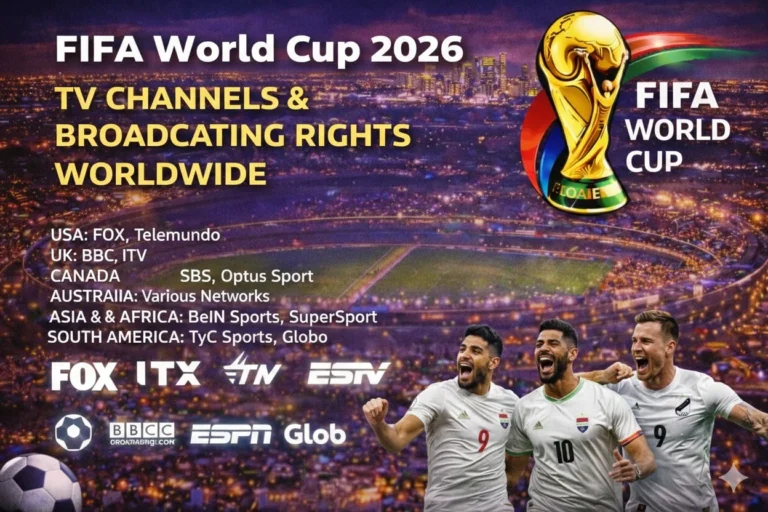
Start with FIFA World Cup broadcasting rights if you are outside the United States because each country has its own licensed broadcaster. Then compare kickoff windows in the FIFA World Cup 2026 TV schedule and test the exact app on the same Android TV screen you plan to use during the tournament. Android TV remains common across televisions and streaming boxes, so a working setup can also help you repeat the same route across multiple rooms.
| Android TV Viewing Need | Best Legal Route |
|---|---|
| English live matches in the United States | FOX One, FOX, FS1, or a live TV service with FOX channels |
| Spanish live matches in the United States | Peacock, Telemundo routes, and live TV packages with Telemundo or Universo |
| Android TV smart television | Install the broadcaster app directly through Google Play |
| Android TV streaming box | Use the same legal app route on the connected device |
| Outside the United States | Use the official broadcaster for your market and verify app availability first |
Can You Watch FIFA World Cup 2026 on Android TV?
You can watch FIFA World Cup 2026 on Android TV by installing the legal broadcaster app or live TV service that carries the match in your market. Android TV gives users a direct app route through Google Play, and Sony’s official Android TV help shows that app installation works from the Google Play Store in the Apps category. That makes Android TV a practical platform for fans who want direct control over the apps on their television or box.
The rights answer still matters more than the platform answer. FOX says all 104 World Cup matches stream on FOX One and FOXSports.com in English in the United States, while Peacock supports a wide range of Android TV-enabled smart TVs and streaming devices for Spanish-language coverage. Android TV helps you reach those services quickly, but the subscription and licensed broadcaster still decide whether the live match opens.
Why Android TV Still Works Well for World Cup 2026
Android TV remains one of the most flexible living-room platforms because it appears on many brands and dedicated devices. That means one good setup can often be repeated across televisions, projectors, and streaming boxes without forcing you into a single brand ecosystem. For World Cup viewing, that consistency makes matchday prep easier.
Android TV also gives you more fallback choices once the main app path is clear. FOX support includes Android TV and Google TV in the FOX One device list, Peacock supports Android TV-enabled smart TVs and streaming devices, and Fubo supports Android TV devices running the right version. That breadth makes Android TV useful for households that want more than one legal backup route.
Which Android TV Apps Should You Check for World Cup 2026?
Start with FOX One for English-language coverage in the United States. FOX support says the FOX One app works on Android TV and Google TV, and FOX says every World Cup 2026 match streams there. That makes FOX One the main direct route for English-language World Cup viewing on Android TV.
Check Peacock next for Spanish-language coverage because Peacock says it supports a wide variety of Android TV-enabled smart TVs and streaming devices. After that, YouTube TV, FuboTV, Sling TV, Hulu + Live TV, and DIRECTV Stream remain useful backup routes when their packages carry the right channels. Fubo also names Android TV as a supported device family and lists TCL among TVs with Android TV built in.
| App or Service | Why It Matters on Android TV | Type |
|---|---|---|
| FOX One World Cup streaming | Primary English route because FOX says all 104 matches stream live and on demand there | Direct broadcaster app |
| Peacock World Cup streaming | Primary Spanish route because Peacock carries Telemundo World Cup coverage and supports Android TV | Direct broadcaster app |
| YouTube TV World Cup streaming | Useful backup when your package carries FOX and FS1 on Android TV | |
| FuboTV World Cup streaming | Strong sports-first fallback on supported Android TV devices | Live TV streaming |
| Sling TV World Cup streaming | Lower-cost fallback for selected channel access | Live TV streaming |
| Hulu + Live TV World Cup streaming | Live TV bundle route for users already inside the Hulu ecosystem | Live TV streaming |
| DIRECTV Stream World Cup streaming | Full live TV fallback for viewers who prefer a cable-style app package | Live TV streaming |
How Do You Install World Cup Apps on Android TV?
Sony’s official Android TV support says you install apps by pressing Home, opening the Google Play Store in the Apps category, and selecting the app you want. That is the standard path for Android TV devices that use Google Play directly. If the Play Store is missing from the main Apps row on some older models, Sony notes that you may need to choose Apps first and then open Google Play from there.
This route works best when you complete app and account setup early. Install the app, sign in, and test a replay or live channel before the first match you care about. If an app does not appear, the issue is often region support, TV certification, or service compatibility rather than a general Android TV problem.
| Step | Android TV Action |
|---|---|
| 1 | Connect the TV or streaming device to the internet and update software |
| 2 | Press Home and open the Google Play Store from Apps |
| 3 | Search for FOX One, Peacock, or the live TV service you plan to use |
| 4 | Select the app and install it |
| 5 | Sign in with the subscription or TV provider that carries the match |
| 6 | Test a replay or live stream before tournament kickoff |
Can You Watch World Cup 2026 Free on Android TV?
An Android TV device does not make the World Cup free by itself. You still need the legal broadcaster in your territory, and many matches require a paid app, a cable login, or a live TV package. Free access only appears when your licensed broadcaster offers selected open streams or free-to-air coverage.
If you are in the United States, the clearest answer remains FOX One for English and Peacock for Spanish. Outside the United States, the correct route changes by country, so checking the broadcaster list first is more useful than installing random apps and hoping they work. Android TV helps you run the app, but rights still decide the feed.
Android TV Setup for FOX One, Peacock, and FuboTV
Start with the account layer before changing any picture settings. Sign in to the service, confirm the plan or provider access, and test a live stream or replay. Many playback failures come from the wrong subscription tier or a stale login rather than from the Android TV device itself.
FOX One is the first English route to test because FOX says every World Cup match streams there and lists Android TV support. Peacock is the first Spanish route to test because Peacock officially supports a wide range of Android TV-enabled smart TVs and streaming devices. Fubo becomes the main backup route for sports-heavy households because its supported-device guide includes Android TV.
| Setup Area | What to Check on Android TV |
|---|---|
| App availability | Confirm the app appears in Google Play on that device |
| Account access | Verify the login, provider link, or subscription level before kickoff |
| Picture mode | Use your preferred sports mode for motion and grass detail |
| Audio path | Check TV speakers, soundbar, or Bluetooth audio before the first whistle |
| Language route | Choose early between FOX routes and Peacock or Telemundo routes |
How Much Internet Stability Does Android TV Need?
Stable internet matters more than a single speed-test number. A crowded Wi-Fi network, poor router placement, and background downloads can ruin a live football stream even when the line looks fast on paper. These issues become more obvious during major World Cup windows when several devices in the house are online at once.
Use wired ethernet if your Android TV hardware sits near the router. If you rely on Wi-Fi, move the device to the strongest band and cut unnecessary traffic before kickoff. Test a real live stream in advance because on-demand playback often hides buffering and sync problems that only show up during live sports.
What Should You Do If a World Cup App Fails on Android TV?
Start with the simplest fix first. Sign out, restart the app, and reconnect the correct account or TV provider. Many matchday issues come from stale sessions, expired passwords, or the wrong subscription package rather than from a broken device.
If the app is missing, freezing, or refusing to play live video, compare the fixture in the World Cup 2026 match schedule and keep World Cup live scores open while you change routes. If your setup still fails, a fallback route such as Chromecast World Cup viewing, the dedicated Nvidia Shield World Cup viewing, or similar Android TV paths on Sony BRAVIA TV World Cup viewing and TCL Smart TV World Cup viewing can save the match window.
| Problem | Fix |
|---|---|
| App missing | Check Google Play availability, region support, and device compatibility |
| Login failed | Restart the app and reconnect the correct provider or subscription plan |
| Buffering | Improve Wi-Fi or use ethernet and reduce other network traffic |
| App freezing | Update the device, reopen the service, and switch to a backup route if needed |
| Wrong feed or language | Switch between FOX routes and Peacock or Telemundo routes |
FAQs
Can I watch FIFA World Cup 2026 on Android TV?
Yes. You can watch FIFA World Cup 2026 on Android TV by installing the legal broadcaster app or live TV service that carries the match in your country.
Which app should Android TV users check first for World Cup 2026 in English?
Android TV users in the United States should check FOX One first because FOX says all 104 matches stream there.
Which app should Android TV users check first for World Cup 2026 in Spanish?
Peacock should be checked first for Spanish-language viewing in the United States because it carries Telemundo World Cup coverage and supports Android TV.
How do I install apps on Android TV for World Cup 2026?
Install apps through Google Play on your Android TV device, then sign in to the broadcaster or live TV service that carries the match.
Can I use FuboTV on Android TV for World Cup 2026?
Yes. Fubo supports Android TV devices that meet its system requirements, so it remains a strong fallback route.
What if a World Cup app is missing on my Android TV?
Check Google Play availability, region support, app compatibility, and device updates first, then use a backup route if needed.
Conclusion
Android TV remains a strong World Cup 2026 viewing platform because it offers a direct Google Play app path and broad device coverage across televisions and streaming hardware. Match that flexibility with the right broadcaster, test the stream early, and keep one backup app ready before kickoff. That gives you the best chance of a smooth setup from the opener to the final.
Read Also: Google TV World Cup viewing