Best Apps to Watch FIFA World Cup 2026 Live on Mobile

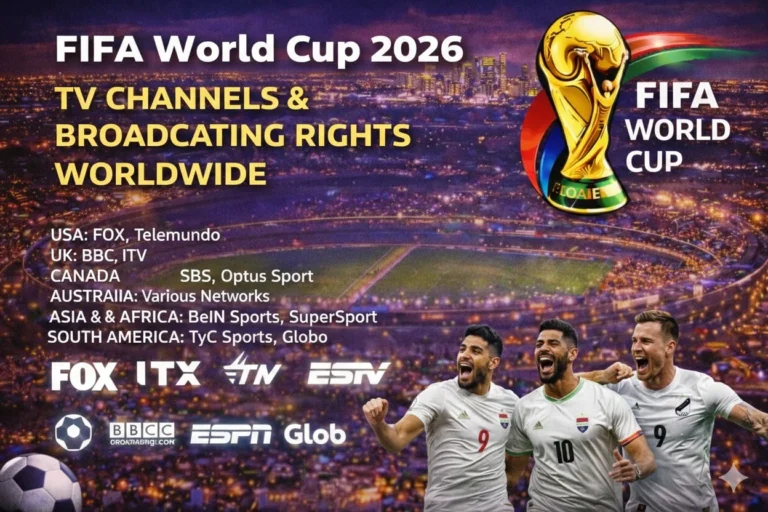
Fans comparing the best apps to watch World Cup 2026 on mobile should start with the licensed broadcaster in their country. The strongest United States stack is clear: FOX One for English, Peacock for Spanish, and live TV apps when channel bundles matter. Other markets rely on their own broadcaster apps, so rights come before app-store popularity.
Use FIFA World Cup broadcasting rights first, then compare the kickoff with the FIFA World Cup 2026 TV schedule before matchday. A great mobile setup needs the right app, the right account, and the right territory. That same check prevents fans from paying for a service that does not carry the match they want.
| App | Best Mobile Use | Coverage Angle | Access Type |
|---|---|---|---|
| FOX One | Best direct English app in the United States | All 104 matches through FOX’s streaming route | Paid streaming |
| Peacock | Best direct Spanish app in the United States | All 104 matches through Telemundo and Peacock | Paid streaming |
| Telemundo App | Best provider-backed Spanish backup | Telemundo live access with eligible sign-in | TV-provider route |
| FuboTV | Best sports-first bundle app | FOX, FS1, Telemundo, and Universo by plan | Live TV streaming |
| YouTube TV | Best general live-TV bundle app | Local FOX, FS1, Telemundo, and Universo checks | Live TV streaming |
| DIRECTV Stream | Best broad channel-package app | English and Spanish channel coverage under one login | Live TV streaming |
| BBC iPlayer | Best free UK mobile route | BBC tournament matches in the United Kingdom | Free broadcaster app |
| ViX App | Best Mexico-focused streaming app | TelevisaUnivision digital route in eligible markets | Streaming app |
| DAZN App | Best licensed premium app in selected markets | Subscription route where DAZN holds rights | Paid streaming |
| TSN App | Best Canada sports-app route | TSN live coverage and match streaming in Canada | Sports app |
Best Apps to Watch World Cup 2026 on Mobile
The cleanest mobile answer for U.S. fans starts with FOX One and Peacock. The FOX World Cup streaming hub says FOX One streams all 104 matches live in English, while the Peacock World Cup coverage release confirms full Spanish coverage on Peacock. That gives mobile viewers a two-app core that covers the whole tournament in both major U.S. language feeds.
The best app still depends on the match need. Some fans want the lowest-friction direct app, while others want one bundle that covers several channels. If the choice is unclear, use the fixture list before you pay.
Which Mobile App Is Best for English and Spanish Coverage?
FOX One is the strongest English-first mobile app because FOX has the full tournament in the United States. Telemundo App and Peacock cover the Spanish side, yet Peacock is the simpler direct answer for fans who do not want a TV-provider login. That split matters because a direct subscription and a provider-backed app solve different matchday problems.
The best overall choice changes by viewing habit. A direct app is better when you want one login and no channel switching. A bundle app is better when the same household also wants league football, news, or other live channels.
Best Free and Paid Mobile Apps for World Cup 2026
Free mobile options exist, yet they depend on country rights rather than device type. BBC iPlayer is a strong example because the United Kingdom keeps a free broadcaster model for many major tournament matches. Other markets push viewers toward paid apps or provider-backed apps even when free TV still exists on the main screen.
Paid apps win when the viewer wants all 104 matches, stable replays, and extra features. DAZN App, FOX One, Peacock, and the strongest live TV apps all sit in that group when the market supports them. A free app can still help as a second-screen route, but it rarely beats a full paid package for tournament-wide access.
Free and paid should be judged by reliability as much as price. A lower-cost app can still be the wrong answer if it misses simultaneous group matches or locks replays behind another package. Tournament depth matters more than headline price when viewers plan for a full month of matches.
Which Country-Specific Apps Matter Outside the United States?
Country-specific apps matter because rights remain local even when the tournament feels global. ViX App matters in Mexico, BBC iPlayer matters in the United Kingdom, and TSN App matters in Canada. The smartest mobile plan matches the broadcaster app to the market instead of copying another country’s setup.
That same rule protects travelers and expats from confusion. A famous app can still fail when the rights sit with another broadcaster in the country where you open it. Use the rights table before you rely on any app outside your usual market.
Country apps also differ in what they actually solve. Some apps are true live-match destinations, while others work better for highlights, replays, or studio programming. A viewer who follows one national team can often use a lighter local app, yet a fan chasing every group match needs a full-rights service.
Mobile Apps That Work Best Without Cable
Best Apps to Watch World Cup 2026 Without Cable
The strongest no-cable mobile apps are FuboTV, YouTube TV, and DIRECTV Stream. They matter because they package the live channels that hold the match instead of relying on one broadcaster brand. That approach helps households that move between English and Spanish feeds during the tournament.
Bundle apps still need a channel check before kickoff. Local FOX availability, FS1 carriage, and Spanish add-ons can change by ZIP code and plan. The app can be installed without carrying the channel you actually need.
No-cable viewers should also separate direct rights apps from bundle apps in their own plan. A direct rights app is faster when you want one competition and one login. A bundle app is better when the same account also needs league football, local news, and other sports during the month.
What Mobile Viewers Should Check Before Kickoff
Mobile viewers should test the exact app, account, and network before the first whistle. A fast Wi-Fi line is better than a crowded cellular connection during major matches. Late sign-ins and weak data signals create most of the avoidable matchday failures.
Open the match tile early, then keep World Cup live scores available in another tab if you need to switch feeds. Battery planning matters too because knockout matches, halftime coverage, and extra time can run far longer than expected. A charger and a stable stand are small fixes that make a long mobile session easier.
Download limits, picture-quality settings, and app refresh behavior also deserve a check. A phone or tablet can save battery by lowering brightness, yet a viewer should avoid aggressive data-saver modes during live play. One small settings review can stop audio drift, blurry streams, and forced reconnects.
Common Mobile Streaming Problems Before the World Cup
The most common failure is using the wrong app for the wrong territory. The second is paying for a plan that does not include the needed channel. The third is assuming a working login means the match itself is available.
Viewers should compare the channel assignment with World Cup 2026 match schedule before blaming the device. A slow stream can come from the network, the feed can be blocked by region, and the event tile can sit in another app. A short test during another live event usually exposes the problem early.
Mobile viewers should also watch out for app-store confusion. Some broadcaster brands have several apps, and the wrong one can open clips or scores instead of the live feed. Installing the right app early is easier than troubleshooting on opening night.
FAQs
What is the best app to watch World Cup 2026 on mobile?
The best app depends on your country, but U.S. viewers should usually start with FOX One for English and Peacock for Spanish.
Which mobile app has all 104 World Cup 2026 matches in English?
FOX One is the main English mobile app in the United States because FOX says it streams all 104 matches live.
Which mobile app has all 104 World Cup 2026 matches in Spanish?
Peacock is the main Spanish streaming app in the United States, while Telemundo App works as a provider-backed option.
Can I watch World Cup 2026 on mobile without cable?
Yes. Live TV apps like FuboTV, YouTube TV, and DIRECTV Stream can work without cable when the plan includes the needed channels.
Are there free mobile apps for World Cup 2026 live streaming?
Some countries have free broadcaster apps, but many markets still require a paid app or a TV-provider login.
Why does a World Cup mobile app fail even after I sign in?
The app can fail because of region limits, channel carriage, subscription tier problems, or a weak data connection.
Conclusion
The best mobile World Cup 2026 apps depend on rights, language, and whether you want a direct app or a channel bundle. Start with FOX One or Peacock in the United States, then test the exact app and match tile before June 11. Use FWCTimes for the rights map, match schedule, and mobile viewing updates as tournament coverage shifts by market.
Read Also: Android Tablet World Cup viewing