How to Watch FIFA World Cup 2026 on Sony Bravia TV

Watch world cup 2026 sony bravia tv coverage by installing the legal broadcaster apps on the same BRAVIA screen you plan to use on matchday. The TV itself does not unlock rights, so the app, country, package, and login still decide whether the live stream opens. U.S. viewers should plan around FOX routes in English and Peacock or Telemundo routes in Spanish.
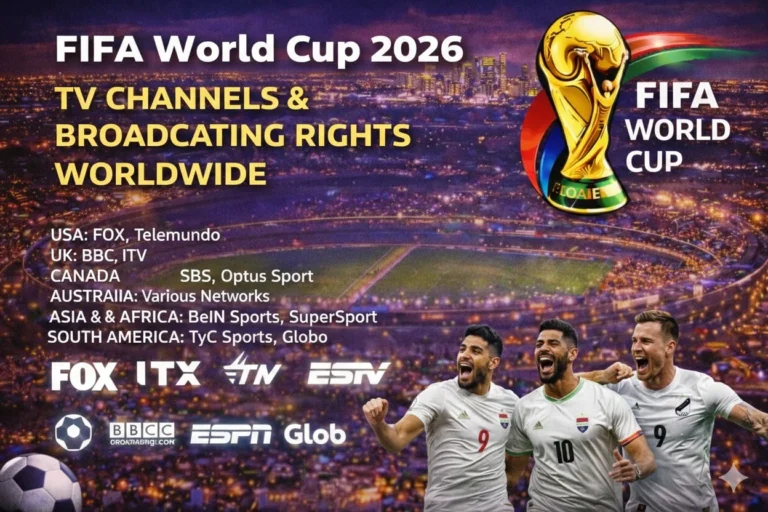
Start with FIFA World Cup broadcasting rights if you are outside the United States because each country has its own licensed broadcaster. Then compare kickoff windows in the FIFA World Cup 2026 TV schedule and test the exact app on the same BRAVIA set before kickoff. Sony BRAVIA models with Google TV or Android TV give viewers a strong route because app installation runs through Google Play and supported TV apps.
| Sony BRAVIA Viewing Need | Best Legal Route |
|---|---|
| English live matches in the United States | FOX One, FOX Sports App, FOX, FS1, or a live TV service with FOX channels |
| Spanish live matches in the United States | Peacock, Telemundo routes, and live TV packages with Telemundo or Universo |
| No external streaming box | Use BRAVIA Google TV or Android TV and install the broadcaster app directly on the TV |
| Older BRAVIA set with missing apps | Use casting, a supported live TV app, or an external streamer if the main app is unavailable |
| Outside the United States | Use the official broadcaster for your market and verify BRAVIA app support |
Can You Watch FIFA World Cup 2026 on Sony Bravia TV?
You can watch FIFA World Cup 2026 on Sony Bravia TV when your model supports the right broadcaster app or live TV service. In the United States, FOX says every match streams on FOX One, while Peacock carries Spanish-language World Cup coverage through Telemundo. Sony also confirms that Google TV and Android TV models can install supported apps directly from Google Play.

Sony BRAVIA works well for this tournament because many models run Google TV or Android TV, which keeps setup familiar if you already use Android apps at home. That matters for viewers who want one remote, one login path, and no extra streaming stick in the room. The practical limit is model support, operating system version, region, and whether the exact app is listed for that TV.
Which Sony Bravia Apps Should You Check for World Cup 2026?
Start with FOX One for English-language coverage in the United States. FOX says all 104 matches stream on FOX One and FOXSports.com, while the same support page lists Android TV and Google TV among supported platforms. If you already pay for cable or satellite, the FOX Sports App can also help when your provider includes the right channel access.
Check Peacock for Spanish-language coverage because Peacock lists La Copa Mundial de la FIFA 2026 in its live sports catalog. After that, compare backup routes such as YouTube TV, FuboTV, Sling TV, Hulu + Live TV, and DIRECTV Stream. Those services matter when you want channel flexibility, multi-device access, or a quick fallback if one app misbehaves on matchday.
| App or Service | Why It Matters on Sony BRAVIA TV | Type |
|---|---|---|
| FOX One World Cup streaming | Primary English route in the United States because FOX says all 104 matches stream there | Direct broadcaster app |
| Peacock World Cup streaming | Primary Spanish route in the United States through Telemundo coverage | Direct broadcaster app |
| YouTube TV World Cup streaming | Useful when you want FOX and FS1 through one TV package on supported BRAVIA models | Live TV streaming |
| FuboTV World Cup streaming | Strong sports-first backup that supports Android TV and Google TV devices | Live TV streaming |
| Sling TV World Cup streaming | Lower-cost route when your market and package carry the right channels | Live TV streaming |
| Hulu + Live TV World Cup streaming | Bundle route for viewers who already use Hulu and need live channels | Live TV streaming |
| DIRECTV Stream World Cup streaming | Live TV package route with local channel checks and regional flexibility | Live TV streaming |
How Do You Install World Cup Apps on Sony Bravia TV?
The official Sony app installation guide explains the correct path for Google TV and Android TV BRAVIA models. Sony says supported apps can be found through the Apps tab, voice search, or the Google Play Store, and the TV needs an internet connection plus a Google account before installation. That is the cleanest setup route for FOX One, Peacock, and live TV apps.
Sony also notes that only apps compatible with your TV will appear in the store. So if you search for an app and do not see it, the problem often comes from model support, operating system version, region, or account setup rather than from the World Cup rights themselves. Update the TV first, then search again before you assume you need another device.
| Step | Sony BRAVIA TV Action |
|---|---|
| 1 | Connect the TV to stable Wi-Fi or wired internet |
| 2 | Update Sony TV software before app installation |
| 3 | Open Apps, Search, or Google Play on the BRAVIA home screen |
| 4 | Install FOX One, Peacock, or the live TV app you plan to use |
| 5 | Sign in with the account or TV provider that carries the live match |
| 6 | Start a non-match stream first so you can catch login or playback errors early |
Why Sony Bravia TV Can Work Without a Streaming Box
Sony BRAVIA reduces friction when the broadcaster app is available natively because you skip HDMI switching, power issues, and extra remote controls. That setup suits bedrooms, guest rooms, and family spaces where viewers want clean match access without changing the entertainment stack. It also helps households that already use Google accounts across phones, tablets, and televisions.
BRAVIA models built on Google TV and Android TV also fit the broader Android app ecosystem well. FOX lists Android TV and Google TV support for FOX One, Fubo lists Sony-built Android TV models in its supported-device help, and YouTube TV lists select Android TVs and select Google TVs in its own device guide. That overlap gives Sony viewers more legal fallback paths than older smart TV systems with smaller app catalogs.
Can You Watch World Cup 2026 Free on Sony Bravia TV?
A Sony BRAVIA TV does not make the World Cup free on its own. You still need a legal route tied to your country, and many matches require a paid app, cable login, or live TV subscription. Free viewing only appears when the licensed broadcaster in your market offers free access or selected free streams.
If you are in the United States, FOX remains the main English-language rights holder and Peacock remains the main Spanish streaming route to check. Outside the United States, the legal answer changes by country, so compare your market in the worldwide rights guide first. That step matters more than the TV brand because rights decide the stream, not the hardware badge on the screen.
Sony Bravia TV Setup for FOX, Peacock, and Live TV Apps
Finish the technical setup before the first whistle. Sign in to each app, confirm the subscription tier, and test a live channel or replay on the BRAVIA interface. Many viewers discover problems late because the app installs cleanly but the provider account or package does not include the channel that carries the match.
FOX One is the first English route to test because FOX says every World Cup match streams live and on demand there, and FOX One Press says every match will also be available in 4K on FOX One. Peacock is the right Spanish route to test next because Peacock names La Copa Mundial de la FIFA 2026 in its live-sports listing. Live TV apps such as YouTube TV and FuboTV are the next layer because they can solve channel access when direct broadcaster apps are not your preferred route.
| Setup Area | What to Check on Sony BRAVIA TV |
|---|---|
| App support | Confirm the app appears in Google Play for your exact TV model |
| Account access | Verify the login, provider access, or subscription before matchday |
| Picture mode | Use the picture mode you trust for fast sports motion and clear grass detail |
| Audio path | Check TV speakers, soundbar, or Bluetooth setup before kickoff |
| Language route | Decide early between FOX routes and Peacock or Telemundo routes |
How Much Speed Does Sony Bravia TV Need for Matchday Stability?
Sony BRAVIA performance depends on more than raw broadband speed. Home congestion, weak Wi-Fi, router placement, and background downloads can break a match stream even when the internet package looks strong on paper. A stable connection matters more than headline speed when the game is live and millions of people are online at once.
Use wired ethernet when the TV sits close to the router. If that is not practical, move the BRAVIA onto the strongest Wi-Fi band in the room and pause heavy traffic from other devices during kickoff. Test the stream during another live event first because replays can hide the buffering problems that only appear under real-time load.
What Should You Do If a World Cup App Fails on Sony Bravia TV?
Start with the basics if the app fails to open. Expired passwords, provider-session limits, and partial app updates cause a large share of matchday problems. Sign out, restart the app, and reconnect the correct account before you switch your whole setup.
If the app is missing, freezing, or refusing to play live video, compare the fixture in the World Cup 2026 match schedule and keep World Cup live scores open as a backup reference while switching apps. Sony says only supported apps appear for the TV, so a missing listing can point to model support rather than a temporary store bug. In that case, use a backup device route such as Chromecast World Cup viewing or Firestick World Cup viewing.
| Problem | Fix |
|---|---|
| App missing | Check BRAVIA model support, Google account region, and software version |
| Login failed | Restart the app, reconnect provider access, and confirm the subscription tier |
| Buffering | Improve Wi-Fi or use ethernet and reduce other household traffic |
| App freezing | Update the TV, reinstall the app, and reboot the BRAVIA set |
| Wrong language or channel | Switch between FOX routes and Peacock or Telemundo routes |
FAQs
Can I watch FIFA World Cup 2026 on Sony Bravia TV?
You can watch FIFA World Cup 2026 on Sony Bravia TV by installing official apps such as FOX One, the FOX Sports App, Peacock, YouTube TV, FuboTV, Sling TV, Hulu + Live TV, or DIRECTV Stream when your model supports them.
Do I need a streaming box for World Cup 2026 on Sony Bravia TV?
You do not always need a separate streaming box because many Sony BRAVIA models use Google TV or Android TV and can install supported apps directly.
Which Sony Bravia app has every World Cup 2026 match in English?
FOX One should be checked first in the United States because FOX says all 104 matches stream on FOX One and FOXSports.com.
Which Sony Bravia app has World Cup 2026 matches in Spanish?
Peacock should be checked first for Spanish-language viewing in the United States because Peacock lists La Copa Mundial de la FIFA 2026 in its live sports lineup.
Can I use YouTube TV or FuboTV on Sony Bravia TV for World Cup 2026?
You can use YouTube TV or FuboTV on Sony BRAVIA TV when your model supports the app and your package includes the channel that carries the match.
Why is a World Cup app missing on my Sony Bravia TV?
The app may be missing because of model compatibility, OS version, regional limits, Google account settings, or store support for that BRAVIA set.
Conclusion
Sony BRAVIA TV can be an excellent World Cup 2026 screen when the correct legal app is installed and tested before matchday. Use FOX routes for English coverage, Peacock or Telemundo routes for Spanish coverage, and live TV apps when they give you better channel access. Test every login and live stream early so the TV is ready when the match window opens.
Read Also: LG Smart TV World Cup viewing