How to Watch FIFA World Cup 2026 on Roku

Watch world cup 2026 roku coverage by adding the official broadcaster apps from the Roku Store and signing in before matchday. Roku does not own World Cup rights, so the live match depends on the app, country, channel package, and account status. U.S. viewers should check FOX routes for English coverage and Peacock or Telemundo routes for Spanish coverage.
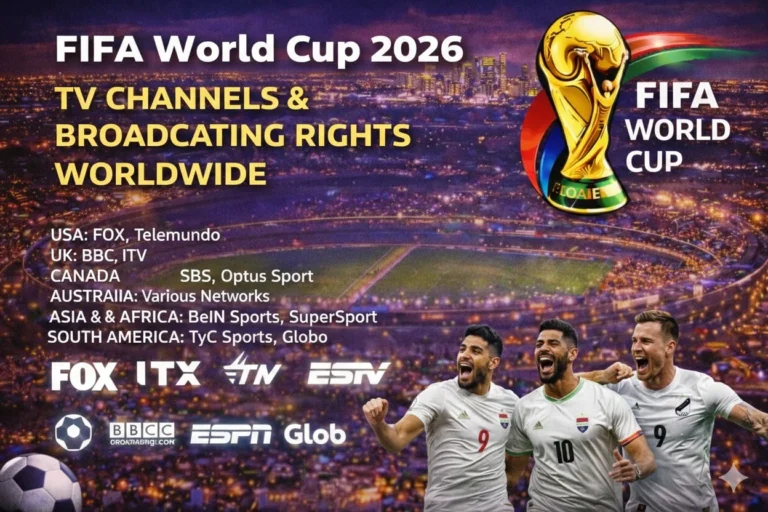
Use FIFA World Cup broadcasting rights before choosing an app because World Cup access changes by country. Then compare the fixture with FIFA World Cup 2026 TV schedule and open the correct Roku channel for that match. A working Roku setup needs the right channel, an updated device, a stable internet connection, and a tested login.
| Roku Viewing Need | Best Legal Route |
|---|---|
| English live matches in the United States | FOX One, FOX Sports App, FOX, FS1, or a live TV service with FOX channels |
| Spanish live matches in the United States | Peacock, Telemundo App, Telemundo, and Universo where available |
| Cord-cutting setup | YouTube TV, FuboTV, Hulu + Live TV, Sling TV, or DIRECTV Stream with the required channels |
| Free legal checks | Local antenna channels on Roku TV models, plus limited free app windows where assigned |
| Outside the United States | Use the official broadcaster for your country and confirm Roku app support |
Can You Watch FIFA World Cup 2026 on Roku?
You can watch FIFA World Cup 2026 on Roku if the licensed broadcaster or live TV service offers a Roku app in your country. In the United States, FOX lists Roku support for FOX One and gives fans access to all 104 matches through FOX One and FOXSports.com. Matches will also air in English on FOX and FS1.

Spanish-language viewers should check Peacock and Telemundo routes. Peacock is the streaming home for Telemundo’s Spanish-language World Cup coverage in the United States. That makes Roku useful for households that want one big-screen device with English and Spanish app options.
Best Roku Apps for FIFA World Cup 2026
Start with FOX One World Cup streaming if you want the direct English streaming path. FOX Sports App World Cup streaming can also work when your provider credentials or FOX account supports live access. Roku users should install both before tournament week if they want a clean backup.
Spanish-language viewers should install Peacock World Cup streaming and confirm the subscription tier. Live TV services can also work when they include local FOX stations, FS1, Telemundo, or Universo. Package checks matter because a Roku app can be installed without proving live channel access.
| App | Best Roku Use | Access Type |
|---|---|---|
| FOX One | All 104 matches in English through FOX’s direct streaming route | Paid streaming |
| FOX Sports App | FOX and FS1 live access with eligible sign-in or package | TV-provider or account route |
| Peacock | Spanish-language coverage through Telemundo’s World Cup package | Paid streaming with selected access windows |
| YouTube TV World Cup streaming | FOX, FS1, Telemundo, and Universo checks by market | Live TV streaming |
| FuboTV World Cup streaming | Sports-first live TV package with FOX and FS1 checks | Live TV streaming |
| Sling TV World Cup streaming | Lower-cost package route where FOX or FS1 is included | Live TV streaming |
| Hulu + Live TV World Cup streaming | Live TV bundle route for FOX and Spanish-channel checks | Live TV streaming |
| DIRECTV Stream World Cup coverage | Live TV package route with local channel checks | Live TV streaming |
How to Install World Cup Apps on Roku
The Roku app installation support explains that Roku users add apps from the Roku Store on the device, channelstore.roku.com, or the Roku mobile app. On a Roku device, press Home, choose Store, select Apps, search for the broadcaster or live TV service, and add the app. If a PIN protects the Roku account, you may need it before adding a subscription app.
After installation, open the app and sign in with the account that actually carries the World Cup channel. A free Roku account only manages the device and app installs. It does not unlock FOX, FS1, Peacock, Telemundo, or live TV packages by itself.
| Step | Roku Action |
|---|---|
| 1 | Press Home on the Roku remote |
| 2 | Open Store and choose Apps |
| 3 | Search for FOX One, FOX Sports, Peacock, or your live TV service |
| 4 | Select Add app or start the subscription flow |
| 5 | Open the app and sign in with the correct account |
| 6 | Test a live channel before World Cup kickoff |
Which Roku Devices Work for World Cup Streaming
Most current Roku players and Roku TV models should work when the app supports the device and region. FOX lists Roku OS 11.0 as the minimum supported Roku system for FOX One. Older Roku players should be updated before matchday because unsupported apps can vanish from search or fail at login.
Roku TV models with antenna input can also help in markets where local FOX or Telemundo stations carry matches over the air. That signal comes from the TV tuner, not a free Roku stream. Use the Roku device for apps and the TV input for antenna channels when both are available.
| Device | World Cup Setup Advice |
|---|---|
| Roku Express | Works for HD if the app supports the current Roku OS |
| Roku Streaming Stick | Good compact option for travel and bedroom TVs |
| Roku Ultra | Best Roku player choice for stronger performance and wired networking |
| Roku TV | Useful for app viewing plus antenna channel checks |
| Older Roku players | Update software and confirm app support before relying on them |
Can You Watch World Cup 2026 Free on Roku?
Free live World Cup viewing on Roku will be limited. The Roku Channel offers free live channels, but that does not make it the official home for World Cup matches. Free match access depends on licensed broadcaster windows, local over-the-air channels, or special promotional app access.
Roku TV owners can connect an HDTV antenna when local stations carry matches. That can help with selected FOX or Telemundo broadcasts in supported markets. Users with a Roku player attached to a separate TV still need that TV’s antenna setup or a paid app route.
Roku Setup for FOX, Peacock, and Live TV Apps
The FOX World Cup streaming page says fans can stream all FIFA World Cup games on FOX One from June 11 to July 19, 2026. It also says all 104 matches stream on FOX One and FOXSports.com, with English broadcasts on FOX and FS1. That makes FOX One the first Roku app to test for English coverage.
Peacock should be tested for Spanish-language viewing, while live TV services should be checked by ZIP code and package. YouTube TV, FuboTV, Sling TV, Hulu + Live TV, and DIRECTV Stream can differ by local channel carriage. Open the exact match tile before kickoff instead of assuming the channel exists.
Roku Internet Speed and Picture Quality
Roku streams need a stable connection during live sports because millions of viewers can join before kickoff. Use 25 Mbps or higher for HD viewing in a busy household. Use a stronger plan or wired option when several devices stream at the same time.
Roku Ultra users can use Ethernet, while many Roku sticks depend on Wi-Fi. Place the device near the router, restart the modem before major matches, and close unused apps. Those small checks reduce buffering and audio delay.
Roku Troubleshooting Before Kickoff
If the app is missing, check the Roku account region, device model, and system update. Roku says apps can be added through the Store, the web Channel Store, or the mobile app. If an app does not appear after adding it, run Settings, System, System update, and Check now.
If the wrong fixture appears, compare the app schedule with World Cup 2026 match schedule. Then check whether that match belongs to FOX, FS1, Peacock, Telemundo, Universo, or another country broadcaster. Use World Cup live scores while fixing access so you do not lose track of the match.
| Problem | Fix |
|---|---|
| App missing | Update Roku OS and confirm country support |
| Login failed | Sign out, restart the app, and reconnect the provider |
| Wrong channel | Check the package, local station, and match assignment |
| Buffering | Restart router, reduce other streams, or use Ethernet on Roku Ultra |
| No Spanish feed | Switch from FOX route to Peacock or Telemundo route |
FAQs
Can I watch FIFA World Cup 2026 on Roku?
You can watch FIFA World Cup 2026 on Roku if your broadcaster app or live TV service supports Roku in your country.
Which Roku app has every World Cup 2026 match in English?
FOX One should be checked first in the United States because FOX lists all 104 matches through FOX One and FOXSports.com.
Which Roku app has World Cup 2026 matches in Spanish?
Peacock and Telemundo routes should be checked first for Spanish-language coverage in the United States.
Is Roku free for World Cup 2026 live streaming?
Roku is the device platform, so free access depends on licensed broadcaster windows, antenna channels, or promotional app access.
Do I need cable to watch World Cup 2026 on Roku?
You do not need traditional cable if you use a direct streaming subscription or live TV service with the correct channels.
Why is a World Cup app not showing on Roku?
The app may be blocked by country, device age, Roku OS version, or account region.
Conclusion
Roku can stream World Cup 2026 matches when the right legal app is installed and tested. Use FOX routes for English coverage, Peacock or Telemundo routes for Spanish coverage, and live TV services when they carry the needed channels. Update the device and test every login before kickoff so your matchday setup is ready.
Read Also: Firestick World Cup viewing