How to Watch FIFA World Cup 2026 on Chromecast

Watch world cup 2026 chromecast coverage by using Chromecast with Google TV, Google TV Streamer, or a Cast-enabled app from your phone. The device does not decide World Cup rights, so the match still depends on the official broadcaster, app support, country, and login. U.S. viewers should plan around FOX routes in English and Peacock or Telemundo routes in Spanish.
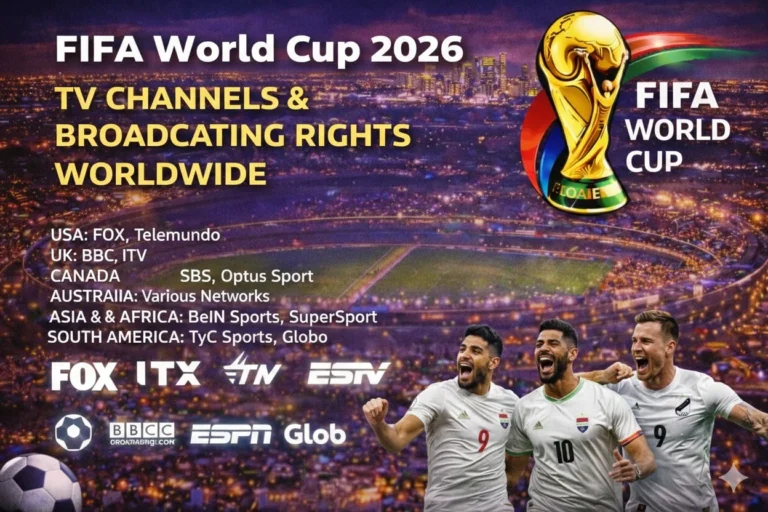
Use FIFA World Cup broadcasting rights first if you are outside the United States because the licensed app changes by country. Then confirm the fixture inside FIFA World Cup 2026 TV schedule and choose the Chromecast method that matches your device. A Chromecast with Google TV can install apps, while older Chromecast devices often depend on casting from a phone, tablet, or Chrome browser.
| Chromecast Viewing Need | Best Legal Route |
|---|---|
| Chromecast with Google TV | Install FOX One, FOX Sports App, Peacock, or a live TV service from Google TV |
| Older Chromecast dongle | Cast from a supported phone, tablet, or Chrome browser app |
| English live matches in the United States | FOX One, FOX Sports App, FOX, FS1, or live TV services with FOX channels |
| Spanish live matches in the United States | Peacock, Telemundo App, Telemundo, and Universo where available |
| Outside the United States | Use the licensed broadcaster in your country and confirm Google TV or Cast support |
Can You Watch FIFA World Cup 2026 on Chromecast?
You can watch FIFA World Cup 2026 on Chromecast when the official app supports Google TV or Google Cast. Chromecast with Google TV works like a streaming device because users can install apps directly on the TV interface. Older Chromecast models work when a supported app lets you cast the live stream from another device.

That distinction matters during live football. A phone app can support playback but not casting, or a TV app can exist without full live sports access. Test the exact match app before the tournament instead of waiting for kickoff.
Best Chromecast Apps for FIFA World Cup 2026
Start with FOX One World Cup streaming if you want the direct English streaming route on Google TV. FOX Sports App World Cup streaming can also work when your provider login or FOX account supports live access. FOX lists Google TV as a supported connected TV platform for FOX One, which makes newer Chromecast devices a strong option.
Spanish-language viewers should test Peacock World Cup streaming because Peacock carries Telemundo’s World Cup 2026 coverage in the United States. Live TV services can also work when their apps support Google TV or casting. Always check local channel availability before paying for a package.
| App | Best Chromecast Use | Access Type |
|---|---|---|
| FOX One | All 104 matches in English through FOX’s direct streaming route | Paid streaming |
| FOX Sports App | FOX and FS1 live access with eligible sign-in or package | TV-provider or account route |
| Peacock | Spanish-language coverage through Telemundo’s World Cup package | Paid streaming with selected access windows |
| YouTube TV World Cup streaming | FOX, FS1, Telemundo, and Universo checks by market | Live TV streaming |
| FuboTV World Cup streaming | Sports-first live TV package with FOX and FS1 checks | Live TV streaming |
| Sling TV World Cup streaming | Lower-cost package route where FOX or FS1 is available | Live TV streaming |
| Hulu + Live TV World Cup streaming | Live TV bundle route for FOX and Spanish-channel checks | Live TV streaming |
| DIRECTV Stream World Cup coverage | Live TV package route with local channel checks | Live TV streaming |
How to Install World Cup Apps on Chromecast
The Google TV app installation support explains that users can install apps by searching or asking for the app name on Google TV. On Chromecast with Google TV, open Apps, search for the broadcaster or live TV service, then choose Install. After installation, open the app and sign in with the account that carries the match.
Older Chromecast devices work differently. Open the supported app on your phone, tablet, or Chrome browser, tap the Cast icon, and select your Chromecast. Keep the casting device on the same Wi-Fi network as the TV device.
| Step | Chromecast Action |
|---|---|
| 1 | Confirm whether your device is Chromecast with Google TV or cast-only Chromecast |
| 2 | Install the app on Google TV or install it on your phone |
| 3 | Sign in with the correct subscription or TV-provider account |
| 4 | Search for the World Cup match tile |
| 5 | Test playback or casting before matchday |
| 6 | Keep a backup app ready if casting fails |
Chromecast with Google TV vs Older Chromecast
Chromecast with Google TV is the easier World Cup option because it has a remote, app store, and TV interface. You can install supported apps directly and avoid relying on your phone during the match. It also makes account switching easier for families using more than one service.
Older Chromecast devices can still work when the broadcaster app supports casting. That setup depends on the phone or browser staying connected and the app keeping Cast support active. If you want fewer matchday problems, use a Google TV device or another full streaming device.
| Device Type | World Cup Setup Advice |
|---|---|
| Chromecast with Google TV HD | Good for HD streams with direct app installs |
| Chromecast with Google TV 4K | Better for 4K-ready apps and stronger TV setups |
| Google TV Streamer | Strongest current Google TV route for app-first viewing |
| Older Chromecast | Works only when the app supports casting from phone or browser |
| TV with Google Cast built in | Useful when the official app includes Cast support |
Can You Watch World Cup 2026 Free on Chromecast?
Free live World Cup viewing on Chromecast will be limited. A free Google account or Cast icon does not unlock FOX, FS1, Peacock, Telemundo, or live TV packages. Free access depends on local broadcaster windows, over-the-air TV, or a limited promotional stream.
Some TVs with Google TV also include live TV inputs or channel integrations. Those features can help with local channels if your TV and antenna support them. A cast-only dongle still needs a legal app source on another device.
Chromecast Setup for FOX, Peacock, and Live TV Apps
The FOX World Cup streaming page says all FIFA World Cup games can stream on FOX One from June 11 to July 19, 2026. It also lists all 104 matches on FOX One and FOXSports.com, with English broadcasts on FOX and FS1. That makes FOX One the first Google TV app to test for English coverage.
Peacock should be tested for Spanish-language viewing, while live TV apps should be checked by market. YouTube TV, FuboTV, Sling TV, Hulu + Live TV, and DIRECTV Stream can differ by local FOX and Telemundo carriage. Open the exact event tile before kickoff and check that audio language matches your plan.
Chromecast Internet Speed and Picture Quality
Live football needs stable Wi-Fi because the stream cannot buffer far ahead like on-demand video. Use 25 Mbps or higher for HD in a busy household. Use a stronger connection when several devices stream at the same time.
Place Chromecast near the router and avoid weak 2.4 GHz signals when possible. Restart the router before major matches, close unused apps, and keep the casting phone charged. Those small checks can reduce buffering and sudden casting drops.
Chromecast Troubleshooting Before Kickoff
If the app will not install, check Google TV compatibility, account region, and device storage. If casting fails, confirm that the phone and Chromecast use the same Wi-Fi network. Then restart the app and the Chromecast before trying again.
If the wrong match appears, compare the app schedule with World Cup 2026 match schedule. Then check whether that fixture belongs to FOX, FS1, Peacock, Telemundo, Universo, or another country broadcaster. Use World Cup live scores while switching apps so you do not lose track of the game.
| Problem | Fix |
|---|---|
| App missing | Check Google TV region, device model, and app compatibility |
| Cast icon missing | Use the same Wi-Fi network and update the mobile app |
| Login failed | Sign out, restart the app, and reconnect provider access |
| Buffering | Move closer to router and reduce other household streaming |
| Wrong language | Switch between FOX route and Peacock or Telemundo route |
FAQs
Can I watch FIFA World Cup 2026 on Chromecast?
You can watch FIFA World Cup 2026 on Chromecast when the official broadcaster app supports Google TV or Google Cast in your country.
Is Chromecast with Google TV better than old Chromecast for World Cup 2026?
Chromecast with Google TV is better because it installs apps directly and does not rely on phone casting during live matches.
Which Chromecast app has every World Cup 2026 match in English?
FOX One should be checked first in the United States because FOX lists all 104 matches through FOX One and FOXSports.com.
Which Chromecast app has World Cup 2026 matches in Spanish?
Peacock and Telemundo routes should be checked first for Spanish-language coverage in the United States.
Can I cast World Cup 2026 from my phone to Chromecast?
You can cast only when the broadcaster app supports Google Cast and both devices use the same Wi-Fi network.
Why is a World Cup app missing on Chromecast?
The app may be unavailable because of country limits, Google TV compatibility, account region, or an older cast-only device.
Conclusion
Chromecast can stream World Cup 2026 matches when the legal app supports Google TV or casting. Use FOX routes for English coverage, Peacock or Telemundo routes for Spanish coverage, and live TV services when they carry the required channels. Test the app, login, casting path, and Wi-Fi before kickoff so the stream is ready.
Read Also: Roku World Cup viewing